
Internet radio
Search by station, country, genre or language, then play a stream on a compatible speaker.
Coastal FMPlay

Keep good speakers playing
SoundTick lets you search stations, save favourites, control rooms and group compatible SoundTouch speakers from your iPhone or Android device.
SoundTick is an independent application and is not affiliated with or endorsed by Bose Corporation. Bose and SoundTouch are trademarks of Bose Corporation and are used only to describe compatibility.
60 days full access
No card required
No SoundTick cloud account
Independent from Bose
What changed on 6 May 2026?
Bose ended SoundTouch cloud support on 6 May 2026. Its updated app keeps local setup, remote control and grouping, but browsing or starting music services inside the SoundTouch app no longer works.
SoundTick provides a focused way to discover internet radio, save favourites and virtual presets, and control compatible speakers on your local network.
Read Bose's service updateRead the SoundTouch radio guideSee SoundTick in action
Explore the real app screens for finding stations, controlling a speaker, saving favourites and managing compatible groups.
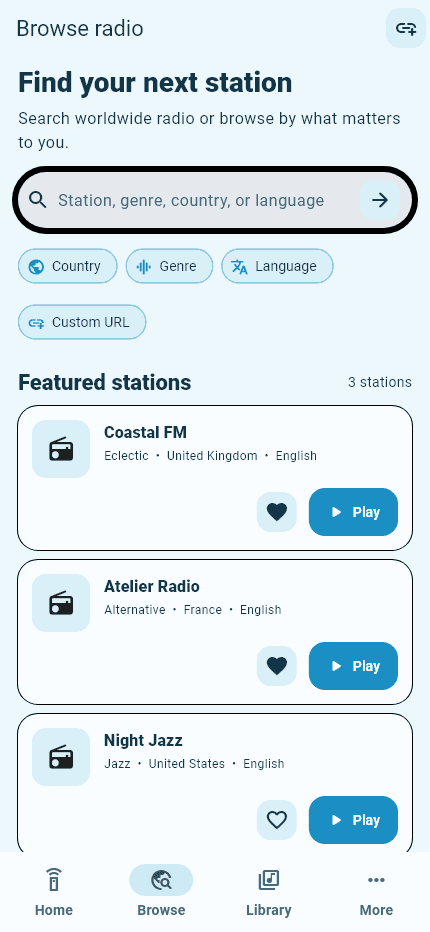
Discover radio
Search by station and narrow results by country, genre or language. Save favourites for a faster return.
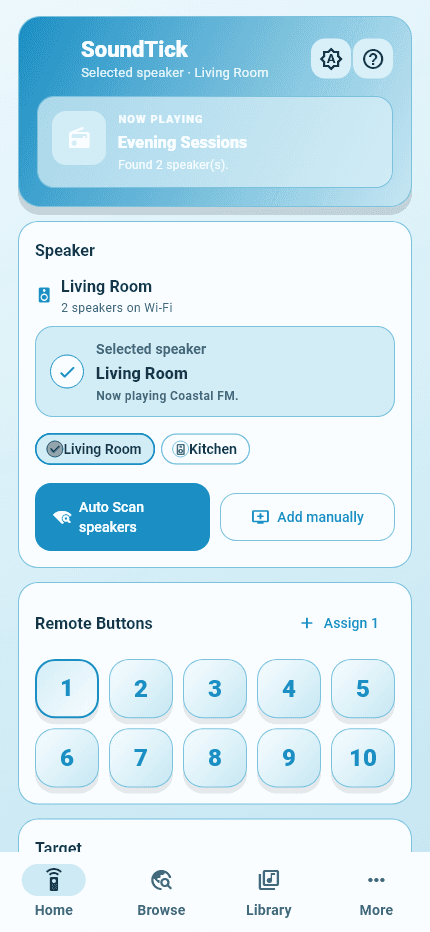
Control your rooms
Select a speaker, check what is playing, adjust volume and move between rooms without losing context.
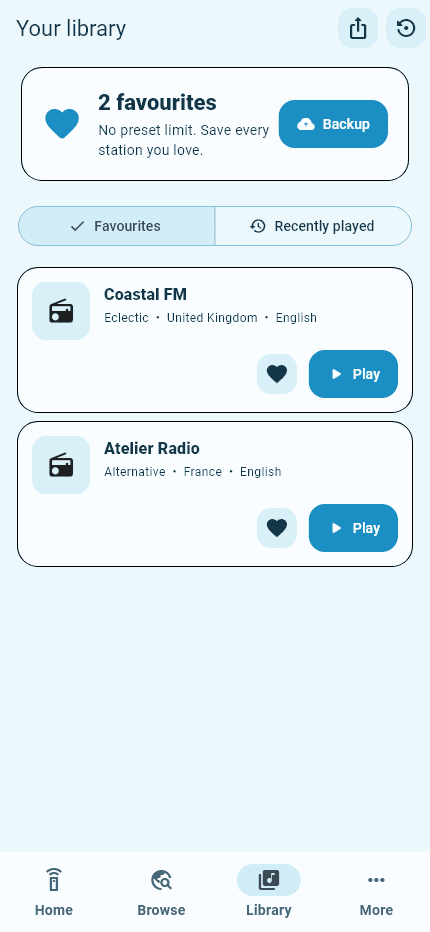
Save favourites
Keep favourites, recent stations and virtual presets organised in one simple library.
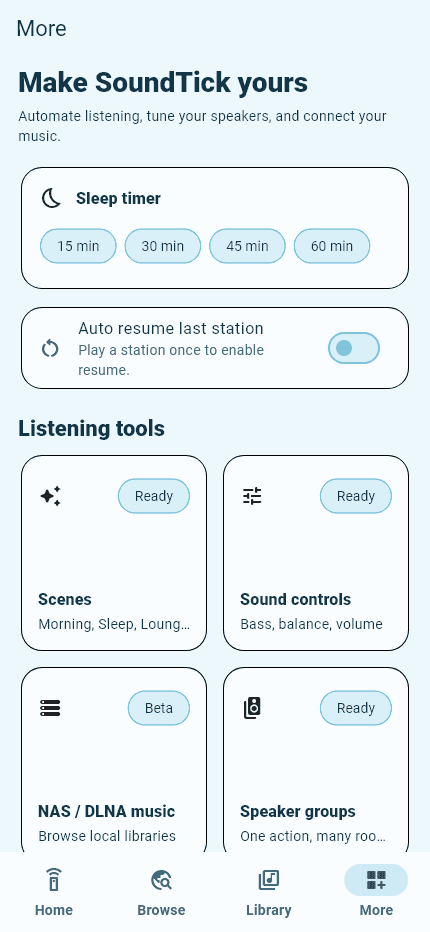
Group speakers
Create groups, reach sound controls and manage useful listening tools from one considered space.
Built around daily listening
Search by station, country, genre or language, then play a stream on a compatible speaker.
Choose a speaker, see what is playing and keep playback and volume controls close.
Save stations and return through your library or recently played history.
Assign stations to virtual remote buttons without rewriting physical presets.
Speaker discovery and everyday controls operate across your private Wi-Fi network.
Use automatic scanning or add a speaker manually with its local IP address.
A simple listening flow
Connect your phone and speaker to the same secure private network.
Let SoundTick scan automatically or add the speaker by local IP.
Search radio, select a compatible speaker and start listening.
After the cloud shutdown
SoundTick does not claim to replace every Bose function. It adds a direct, mobile-first radio and local-control experience for compatible speakers.
Updated Bose SoundTouch app
SoundTick
Compatibility
SoundTick is designed for compatible Bose SoundTouch speakers on the same private Wi-Fi as your phone. Model, firmware, permissions and router settings can affect discovery and available controls.
Straightforward access
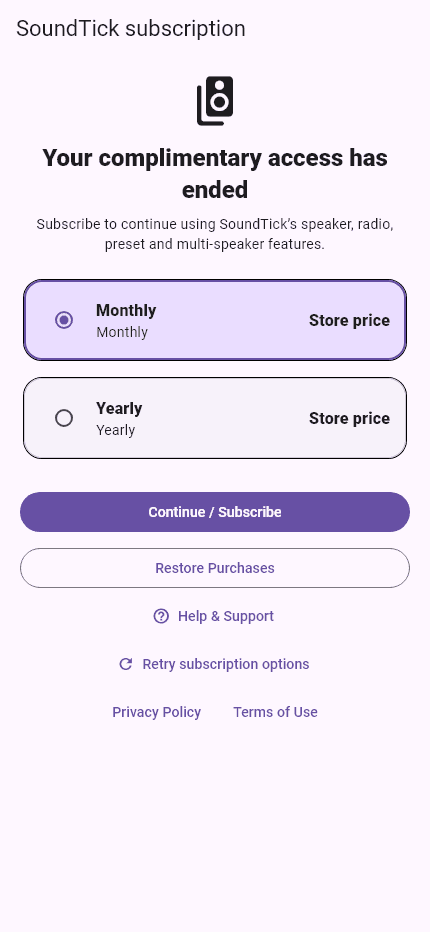
Start without entering payment details or joining a subscription. When complimentary access ends, you can choose a monthly or yearly subscription at the local price displayed by Apple or Google.
See pricing and access details, the Terms of Useand the Privacy Policy.
Your music. Your network. Your speakers.
Everyday speaker discovery and control happen on your local network. SoundTick does not require a cloud identity account. A local device PIN can protect app access, while Apple or Google handles purchases. Diagnostic reports leave your device only when you choose to share them.
Good to know
Need help with discovery, playback or subscriptions?
Visit SoundTick SupportBose ended SoundTouch cloud support on 6 May 2026. Its updated app continues local setup, remote control and grouping, while browsing and starting music services from inside the original app no longer works. SoundTick is an independent way to discover radio and control supported speakers on your local network.
SoundTick is designed for supported Bose SoundTouch speakers that are reachable on the same private Wi-Fi network as your phone. Compatibility can vary by model, firmware, permissions and network configuration, so use the complimentary period to confirm your setup.
SoundTick does not require a cloud identity account for everyday local speaker control. You can use an optional local device PIN, while platform purchases and some third-party services use their own accounts and terms.
You can select speakers, control compatible groups and manage playback across supported devices on your network. Available grouping behaviour depends on your speakers and setup.
Nothing renews automatically during complimentary access. When it ends, you can actively choose a monthly or yearly in-app subscription. Current local prices and terms are shown by the relevant app store, and purchases can be restored in SoundTick.
Everyday discovery and control happen on your local network. SoundTick keeps useful preferences and rolling technical events on your device. A diagnostic report leaves your device only when you choose to share it. The Privacy Policy explains exactly what it can contain.
Available for iPhone and Android
Discover radio, control compatible rooms and bring everyday listening back into one simple app.