
Direct answer
What you need to know
Before moving a SoundTouch speaker into a cupboard, give it a specific job. A useful kitchen radio or a familiar music setup in the study can be worth keeping even when the original software experience has changed. The ideas below mix SoundTick features, supported speaker connections and practical listening habits. They are not a promise that every function is available on every model; check your speaker’s capabilities first.
Before moving a SoundTouch speaker into a cupboard, give it a specific job. A useful kitchen radio or a familiar music setup in the study can be worth keeping even when the original software experience has changed.
The ideas below mix SoundTick features, supported speaker connections and practical listening habits. They are not a promise that every function is available on every model; check your speaker’s capabilities first.
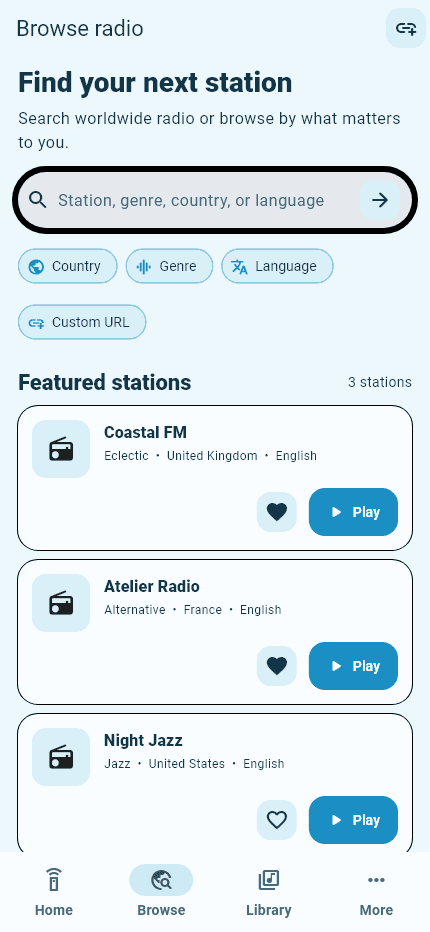
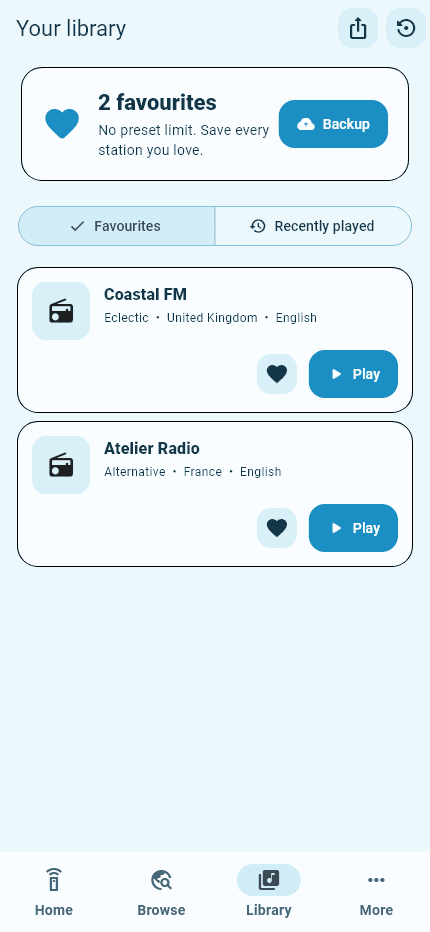
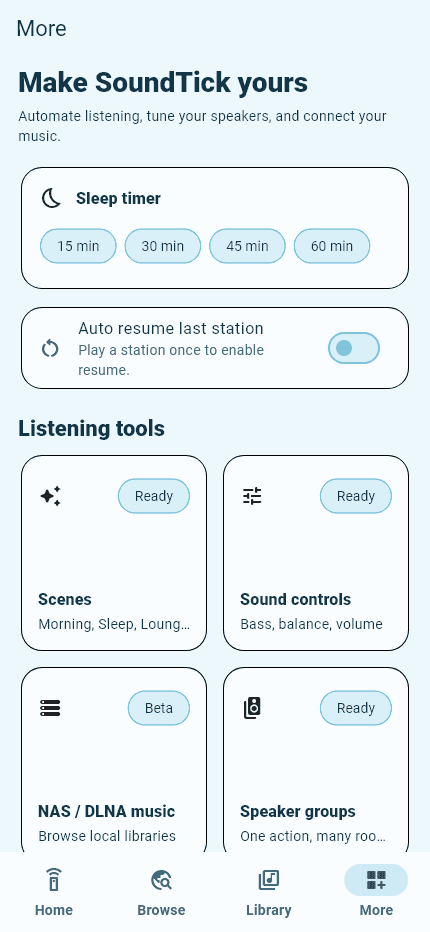
Real SoundTick screens
See the relevant controls in the current app.
1. Make it your morning radio
Choose a station you genuinely enjoy and make it your default starting point for the day. News, conversation or music can work equally well.
SoundTick lets you browse internet radio and control playback on compatible speakers. Start with one reliable station before building a larger collection.
2. Listen to a familiar language or place
Use radio discovery to look for a station connected to your home town, a country you have visited or a language you are learning. SoundTick’s search and filters provide different starting points.
Make this a listening experiment, not a task to complete. Try a few stations during the hours you normally listen and keep the ones you enjoy.
3. Build a library you will actually use
Save favourites around real situations: breakfast, focused work, cooking and a quiet evening. SoundTick supports favourites and recent listening history.
A small collection is easier to navigate. Remove a station when you consistently skip it, rather than leaving it in the list simply because you once saved it.
4. Use virtual presets for a shorter route to radio
A virtual preset gives a station a convenient place inside SoundTick. It is a phone-based shortcut, not a reprogrammed physical button on the speaker.
Use these shortcuts for the stations you return to most. For hands-on, phone-free listening, investigate the separate requirements for physical preset restoration.
5. Keep volume control within reach
Remote volume adjustment is a small convenience that becomes valuable every day. SoundTick provides playback and volume controls for compatible devices.
Test the controls while standing near the speaker first. When selecting another room, check its name and begin quietly rather than assuming it is at the volume you left it.
6. Bring compatible rooms together
Where your setup supports it, SoundTick can control compatible speaker groups.
Try a two-room routine before expanding it: perhaps the kitchen and dining area while preparing a meal. Confirm both speakers individually, then test the group with the source you actually intend to use.
7. Keep listening through your music-service app
You do not have to abandon a connection that already suits you. On supported models, Bluetooth or AirPlay lets you use an appropriate phone-app listening route; Spotify users can also check Spotify Connect.
Use SoundTick when you want its radio workflow, and keep another route for the content you prefer elsewhere.
8. Reconnect after moving house
A change of Wi-Fi does not have to mean retiring the speaker. Use the correct setup procedure to give it the new network details, then confirm discovery and playback.
Our SoundTouch Wi-Fi setup guide separates network configuration from app-discovery problems, so you can troubleshoot the right step.
9. Move a working speaker to a room that needs it
A speaker that no longer fits your main listening setup may still suit a study, spare room or hobby space. First test its connection and controls in the new location.
Give it a purpose before adding accessories. A useful single-room setup is a better outcome than an elaborate arrangement nobody enjoys using.
10. Make a considered upgrade decision
Use the current speaker long enough to identify what is genuinely missing. Write down the feature you need, then compare keeping it, adding software or hardware, and replacing it.
For that decision, read Bose SoundTouch alternatives. Keep SoundTouch equipment on a secure private network: Bose says these systems no longer receive software or security updates.
Keep the useful parts of your setup
The goal is not to preserve every old interaction at any cost. It is to keep enjoying equipment that still has a worthwhile role in your home.
Start with a station, a room and a routine.
Try SoundTick with your compatible speakers.
SoundTick is an independent application and is not affiliated with or endorsed by Bose Corporation. Bose and SoundTouch are trademarks of Bose Corporation, used here to describe compatibility.
Sources and boundaries
Evidence used for this guidance.
Product instructions describe SoundTick's intended behavior. External claims are linked to their primary source. Actual compatibility still depends on the speaker, firmware, phone permissions and network being tested.
- SoundTick: speaker compatibility Reviewed5 September 2026
- SoundTick: current Google Play listing Reviewed5 September 2026
- SoundTick: features and listening workflow Reviewed5 September 2026
- Bose: SoundTouch end-of-service listening guide Reviewed5 September 2026
- Bose: SoundTouch 10 owner guide (network changes, English page 14) Reviewed5 September 2026
- Bose: SoundTouch end-of-service update Reviewed5 September 2026
- SoundTick testing methodology
- Current known limitations
Related guidance